
Appointment Reminder Templates
Copy-ready appointment reminder email templates for coaches, tutors, massage therapists and cleaners: confirmations, 24h and 1h reminders and more.
Irish Sailago


A good reminder is short, friendly and gives the client everything they need to show up on time. Below are 12 appointment reminder email templates you can copy, tweak and send, covering confirmations, day-before and hour-before reminders, reschedules, no-show follow-ups and package session reminders.
Each one is written for a real solo business: coaches, tutors, massage therapists and cleaners. Swap in your own details where you see [brackets].
What to Include in Every Appointment Reminder
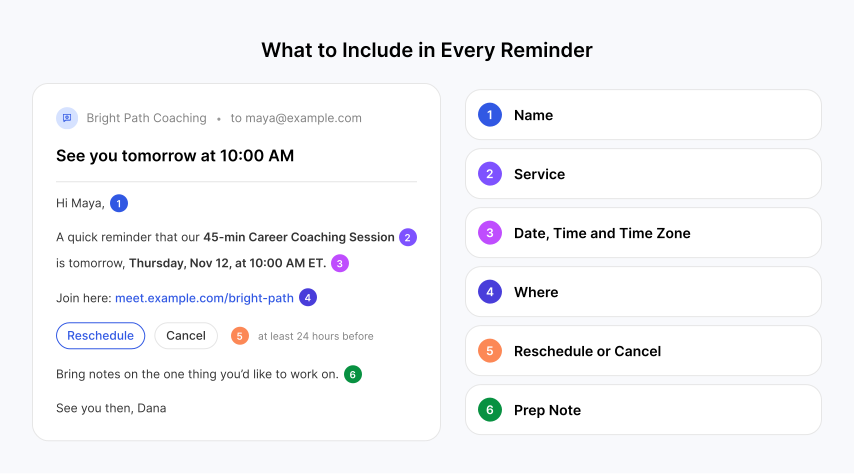
- The client’s first name
- What the appointment is (service and length)
- Date, time and time zone (time zone matters for online sessions)
- Where: an address, parking tips or a video link
- How to reschedule or cancel, plus your notice period
- Anything they should bring or do beforehand
Appointment Confirmation Email Templates
1. Confirmation Email: Coach
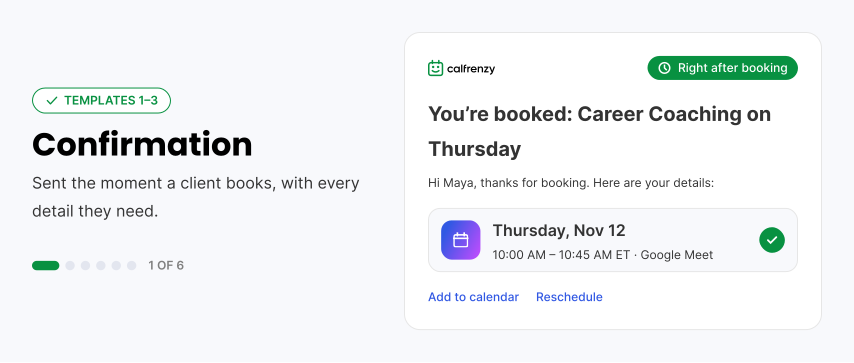
Hi [First name],
Thanks for booking your [Session name] with me. Here are your details:
• Date: [Date]
• Time: [Time] [Time zone]
• Where: [Video link]
Before we meet, take a few minutes to jot down the one thing you’d most like to work on. It helps us use our time well.
Need to change the time? Use the reschedule link in this email, ideally at least [24 hours] before we’re due to meet.
Talk soon, [Your name]
2. Confirmation Email: Tutor, Sent to Parents
Hi [Parent first name],
[Student name]’s [Subject] lesson is booked:
• Date: [Date]
• Time: [Time] to [End time]
• Where: [Address / Video link]
Please have [Student name] bring [homework, textbook, calculator]. If you need to move the lesson, please let me know at least [24 hours] ahead using the link below.
Thanks, [Your name]
3. Confirmation Email: Cleaning Service
Hi [First name],
Thanks for booking a [Service type] clean. Here’s what’s confirmed:
• Date: [Date]
• Arrival window: [Time] to [Time]
• Address: [Address]
If we need a key, a lockbox code or parking info, just reply to this email. Need to change the date? Please let us know at least [48 hours] before.
Thanks, [Business name]
24-Hour Appointment Reminder Email Templates
4. 24-Hour Reminder: Coach
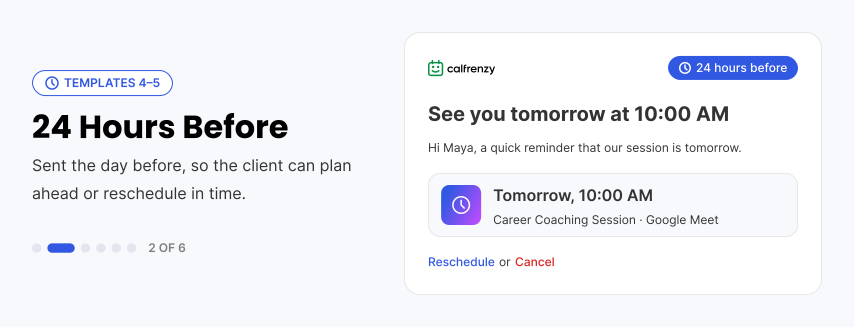
Hi [First name],
A quick reminder that our [Session name] is tomorrow, [Day], at [Time] [Time zone]. Here’s the link to join: [Video link].
If something’s come up, you can reschedule from this email. See you then!
[Your name]
5. 24-Hour Reminder: Massage Therapist
Hi [First name],
Looking forward to seeing you tomorrow, [Day], at [Time] for your [60-min] massage.
A few things to help you get the most from your session:
• Please arrive 10 minutes early so you have time to settle in.
• Wear comfortable clothes and skip a heavy meal beforehand.
• Let me know on the day if anything has changed since your last visit.
Need to reschedule? Please use the link in this email at least [24 hours] ahead. My cancellation policy is [policy summary].
[Your name]
1-Hour Appointment Reminder Email Templates
6. 1-Hour Reminder: Online Tutoring Lesson
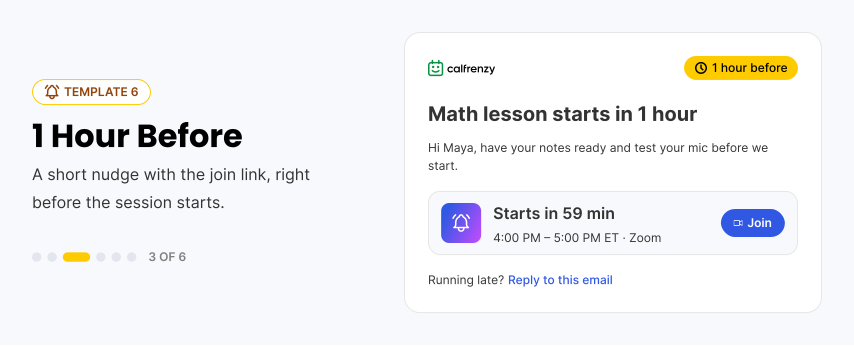
Hi [Student first name],
Your [Subject] lesson starts at [Time]. Join here: [Video link].
Have your notes and a pen ready, and test your mic before we start. See you soon!
[Your name]
Reschedule Email Templates
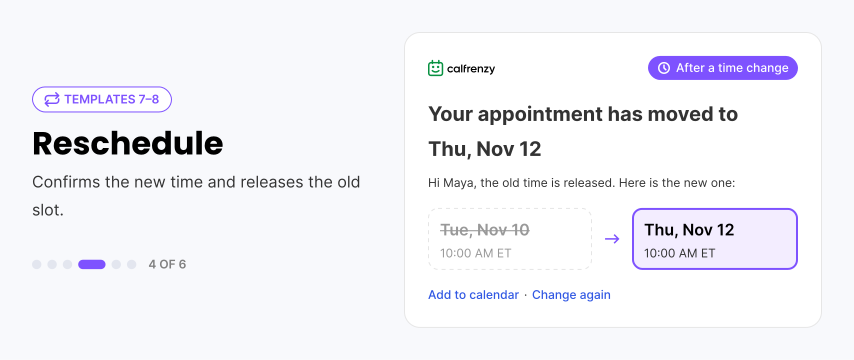
7. Reschedule Confirmation: Any Service
Hi [First name],
No problem. Your [Service] has moved to:
• New date: [Date]
• New time: [Time] [Time zone]
• Where: [Address / Video link]
Your original time on [Old date] has been released. If you need to change it again, use the link in this email.
Thanks, [Your name]
8. Weather or Access Reschedule: Cleaning Service
Hi [First name],
Because of [weather / road closures / staff illness], we can’t make your clean on [Date]. We’re sorry for the hassle.
Please choose a new day that works for you here: [Booking link]. If you’d rather we pick the next available slot, just reply and we’ll take care of it.
Thanks for your patience, [Business name]
No-Show Follow-Up Email Templates
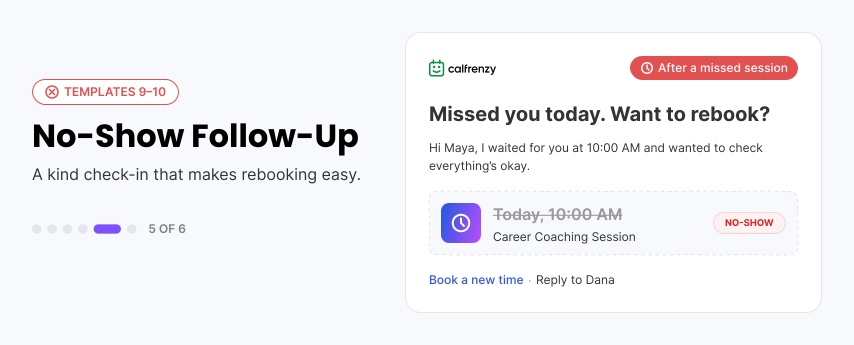
9. No-Show Follow-Up: Coach
Hi [First name],
I waited for you on our call at [Time] today and wanted to check that everything’s okay.
If you’d still like to meet, you can book a new time here: [Booking link]. As a reminder, my policy for missed sessions is [policy summary].
Hope to talk soon, [Your name]
10. No-Show Follow-Up: Massage Therapist
Hi [First name],
I had you booked for a massage at [Time] today and was sorry not to see you. I hope all is well.
When you’re ready, you can book your next session here: [Booking link]. Just so you know, missed appointments without [24 hours’] notice are [charged at X% / charged in full / deducted from your package], as set out in my cancellation policy.
Take care, [Your name]
Package Session Reminder Email Templates
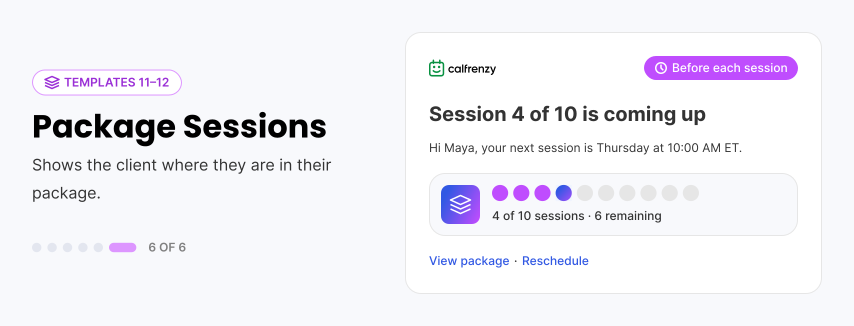
Write and send this one yourself, filling in the session number and package size from your own records.
11. Package Session Reminder: Coach
Hi [First name],
Your next coaching session, number [4] of [10] in your package, is on [Day, Date] at [Time].
Last time we agreed you’d [action from last session]. Bring any notes on how it went, and we’ll pick up from there.
See you then, [Your name]
12. Package Ending Soon: Massage Therapist
Hi [First name],
Just a heads-up: your massage on [Date] is the last one in your [5-session] package.
If you’d like to keep your regular slot, you can book a new package or a recurring time here: [Booking link].
Thanks for being a regular, [Your name]
Tips for Appointment Reminder Emails That Clients Actually Read
- Send two reminders for important sessions. One the day before gives clients time to rearrange, and one an hour or two before catches anyone who’s lost track of time.
- Make rescheduling easy. A client who can move a booking in two taps is less likely to just not show up.
- State your policy kindly, once. Mention your notice period in the confirmation and the day-before reminder. You don’t need it in every message.
- Add prep notes that matter. “Arrive 10 minutes early”, “bring your workbook” and “leave the side gate open” save time on the day.
- Match your voice. If you’re chatty in person, let your reminders sound like you.
How to Automate Your Email Reminders in Calfrenzy
Copying and pasting reminders works when you have five clients. When you have fifty, let your booking tool send them for you with automated email reminders.
- Confirmations go out automatically. As soon as a client books, Calfrenzy emails them the date, time, location and calendar-add links. This is on every plan, including Free.
- Up to three email reminders per booking page. Choose the timing (for example 1 day and 1 hour before) in minutes, hours or days.
- Add your own note. Paste a short message from the templates above (like the prep notes in template 5) into the reminder text, and it appears at the top of every reminder for that booking page.
- Let clients reschedule or cancel from the email, or turn those buttons off if you’d rather they contact you.
- Show your cancellation policy on your booking page and in confirmation emails.

Calfrenzy reminder settings with two email reminders and a custom note
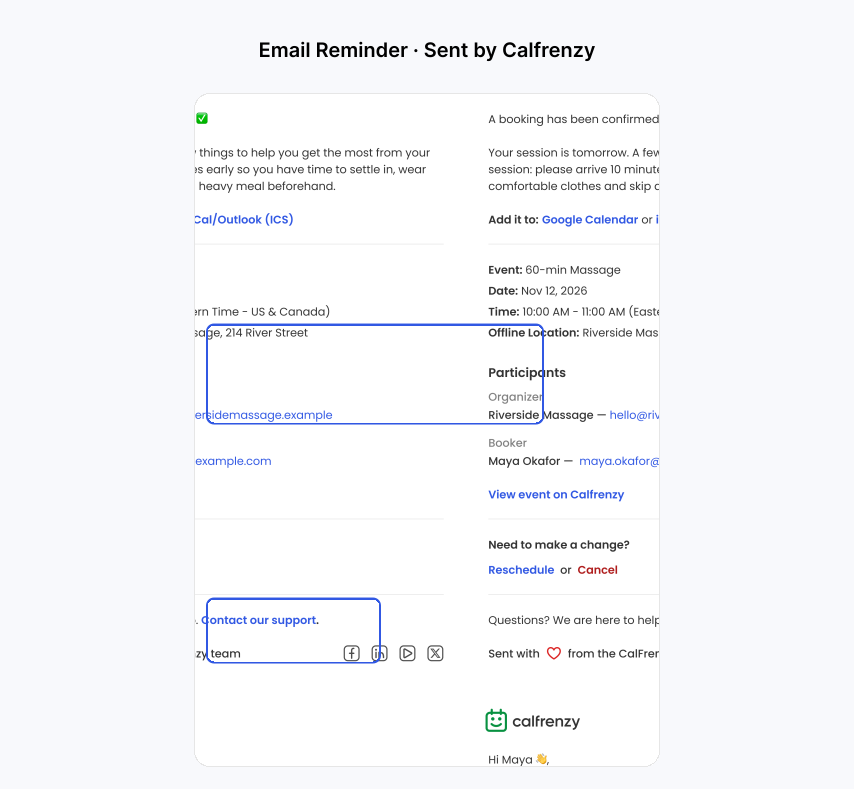
Appointment reminder email sent by Calfrenzy with event details and reschedule and cancel buttons
Plan note: Custom email reminders are on the Professional and Business plans. You can try them with a 14-day free trial, with no credit card required. Calfrenzy reminders are sent by email only.
Set Up Automatic Email Reminders in Minutes
Create your booking page, pick your reminder times and let Calfrenzy send confirmations and reminders for every booking

Frequently Asked Questions
Include the client’s name, the service, the date and time (with time zone for online sessions), the location or video link, and how to reschedule or cancel. Add any prep instructions in a single line.
A common pattern is a confirmation right after booking, a reminder 24 hours before and a short reminder 1 to 2 hours before. For appointments that need prep, like forms or documents, send an extra reminder two or three days ahead.
Emails have room for the details, links and policies a client needs, and clients can search for them later when they need the address or video link.
Yes. On the Professional and Business plans, you can set up to three email reminders per booking page. The Free plan includes email notifications. Calfrenzy reminders are email only, with no text messages.
Start by checking the client is okay, offer an easy way to rebook and mention your policy once, calmly. Templates 9 and 10 above follow this pattern.
For most appointments, two reminders plus the confirmation is plenty. More than that can feel like nagging, unless the client has asked for extra reminders.
Set Up Automatic Email Reminders in Minutes
Create your booking page, pick your reminder times and let Calfrenzy send confirmations and reminders for every booking. 14-day free trial, no credit card required.
Get Started FreeRelated Articles

Booking confirmation email templates for service businesses
Seven copy-paste booking confirmation email templates for tutors, coaches, trainers and studios, plus the six details every confirmation needs.

No-Show Fees: How Much to Charge and What to Tell Clients
How to set a no-show fee you can justify, explain it before booking, collect it fairly and handle missed sessions clients have already paid for.

How to Handle Cancellations and Reschedules Without Losing the Booking
Turn cancellations into reschedules: a clear policy before booking, self-serve reschedule links, notice rules, buffers, and a nudge for clients who slip.
Ready to Grow Your Practice?
Set up your booking page in under 2 minutes. Packages, payments, and reminders included.


