
How to Track Remaining Sessions in a Package
Stop reconstructing package counts from texts. Track completed vs remaining sessions, update clients clearly, and know when to sell the next block.
Olesia


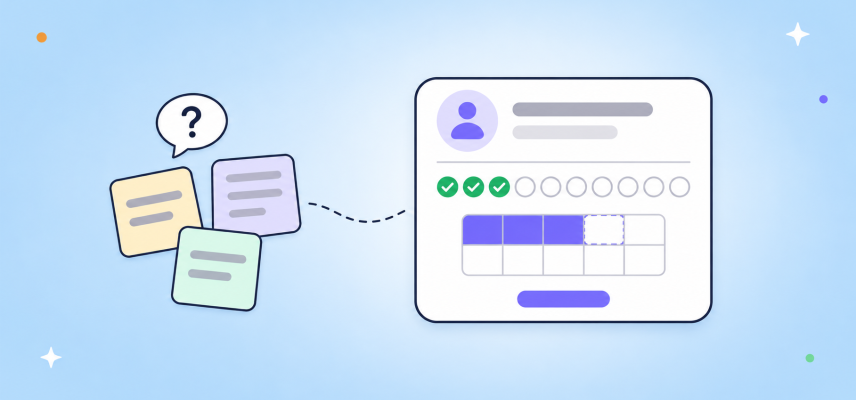
Once a client pays for a block of sessions, the hard question shifts. It is no longer “have they paid?” It is “how many are left, and what is still on the calendar?”
If you answer that from chat threads and sticky notes, you will eventually disagree with a client about the count. This guide is an admin playbook for tutors, coaches, personal trainers, and consultants who already sell packages. It covers what “remaining” should mean, how to keep one source of truth, how to update clients calmly, and when to open the next-block conversation.
This is not a pricing or packaging sales guide. For those angles, see how to price and sell personal training packages, how to sell coaching packages, and how to charge for tutoring.
What “remaining sessions” should mean
Keep four numbers distinct:
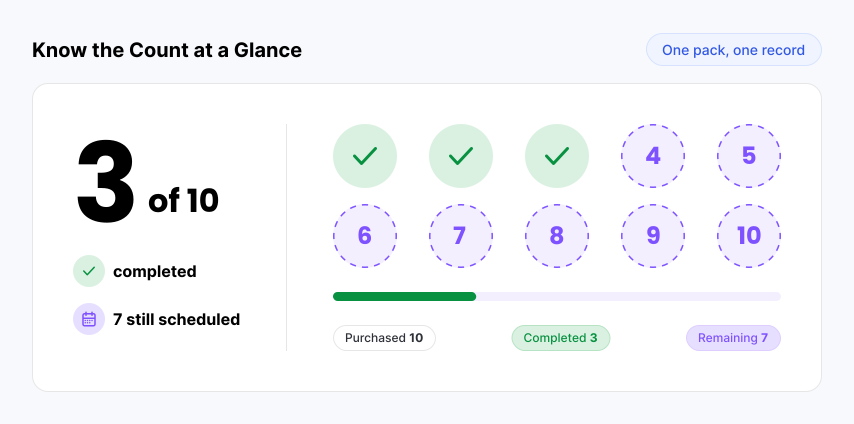
- Purchased: the session count in the package the client paid for
- Completed: sessions you delivered
- Still scheduled: future appointments already on the calendar
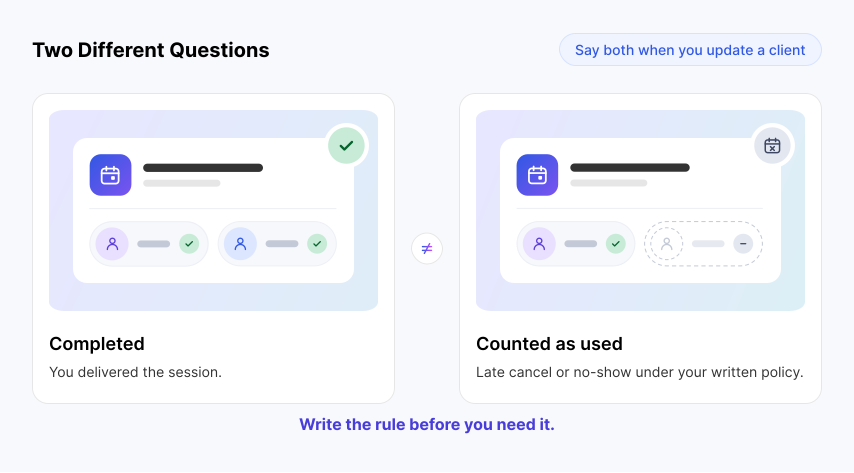
- Counted as used under policy: late cancels or no-shows your written terms treat as used, even when you did not deliver the work
Attendance and payment treatment are not the same thing. A missed lesson that counts as used under your rules is not a completed session. Say both clearly when you update a client.
If the package mixes lengths (for example eight training sessions and two check-ins, or lessons plus review calls), keep those types identifiable in the record. “Seven left” is less helpful than “five training sessions and two check-ins still scheduled.”
Build one source of truth (not five chats)
Pick one place as the package record. Prefer the booking system when it already shows upcoming, pending, and completed appointments, instead of rebuilding the same list in a spreadsheet and three message threads.
Calfrenzy’s session tracking brings bookings into one view across booking pages, with search and filter by details such as participant and status.
For packages sold as multiple appointments in one checkout, marketing and product pages show a simple progress idea such as “3 of 10.”
Package booking itself (selecting several dates and paying once) lives on Professional through multi-session booking, alongside recurring bookings, Stripe payments, and the session tracking dashboard. Professional is $7.99/mo billed annually or $9.99 monthly. Free includes 1 booking page, 1 calendar, Google Meet, and email notifications. A 14-day trial needs no card; afterward the account moves to Free if you do not stay on a paid plan.
Keep packages and the session record together
Try Calfrenzy Professional free for 14 days: multi-session booking, recurring bookings, Stripe payments and the session tracking dashboard. No credit card needed.

A simple weekly tracking routine
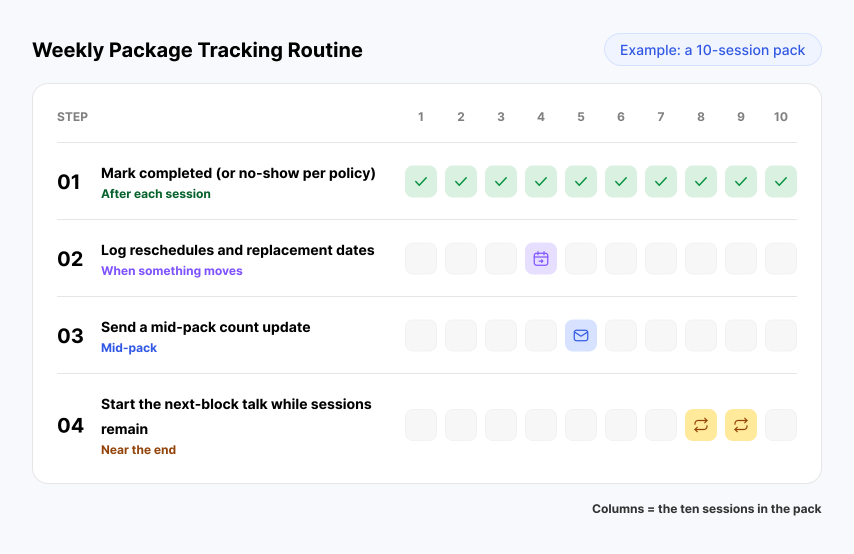
You do not need a complex system. A short weekly loop is enough:
- After each session: mark it completed, or note a no-show or late cancel according to your policy.
- When something moves: record the replacement date so the package does not lose a slot in limbo.
- Mid-pack: send a short count update so the client sees the same numbers you do.
- Near the end: open the next-block conversation while sessions remain, not after silence.
If your work runs on a fixed weekly rhythm rather than a flexible multi-date pack, recurring lesson scheduling explains how a full term can sit on the calendar as one series. Tracking still matters: you need completed versus remaining for that series too.
Client-facing updates that prevent arguments
Share the count in plain language. An example for an unchanged ten-session pack:
Example update
3 of 10 sessions completed. 7 sessions still scheduled. Next up: Thursday, March 12 at 4:00 p.m.
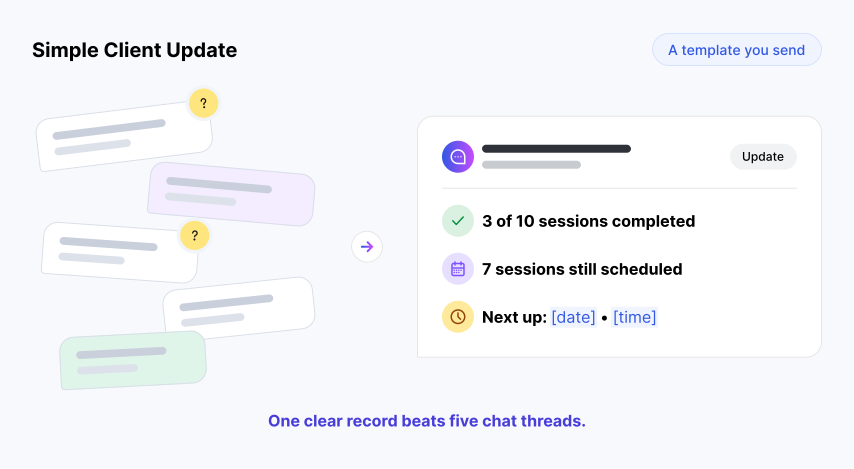
That message does three jobs: purchased context, what is left, and what happens next. It is a template you send, not an automatic product email unless your tool sends one.
Keep goal progress separate from the session count. “You have three lessons left” is admin. “Here is what we will cover in those three” is coaching or tutoring. Mixing them in one vague sentence is how misunderstandings start.
Cancellations, reschedules, and the count
Write the rules before the first miss. Your cancellation policy should say how much notice is required, whether a late cancel or no-show counts as used, and how a replacement date is arranged.
Calfrenzy supports rescheduling an individual appointment inside a package without changing the rest of the booked appointments.
Calfrenzy does not offer a pack-expiry setting for package bookings (as noted in the personal training packages guide). Track unused sessions through your written policy and a direct conversation, not by inventing an expiry feature that is not there.
Reminders that support attendance are email only (no SMS). On Professional you can set up to 3 email reminders per booking page. Calendars connect to Google, Outlook, and iCloud so availability stays accurate while you manage the pack.
When to sell the next package
Start the renewal talk while sessions remain. Waiting until the last appointment often means the client drifts before you reconnect.
A simple opener:
Renewal opener
You have [remaining sessions] left in this pack. Let’s review what you need next and whether another block makes sense. We can agree on the mix and dates before this pack finishes.
The next block does not have to copy the last one. It might be smaller, longer, or a different mix of session types. For how to structure and sell the offer itself, use coaching packages or personal training packages. For keeping clients through the full relationship, see customer retention strategies.
Frequently asked questions
Use your booking system as the package record. When every session in the pack is booked there, the list of completed and upcoming appointments already shows how many are left, so you only need to note late cancels or no-shows that your policy counts as used.
Completed means you delivered the session. Used means it comes off the package, which can also include a late cancel or no-show if your written terms say so. Keep both numbers, and say which is which when you update a client.
Send them a short update in plain language, such as “3 of 10 sessions completed, 7 still scheduled”. A mid-pack update is usually enough to keep both of you on the same count.
No. A rescheduled session moves to a new date but stays in the package. Record the replacement date so the session isn’t lost, and only count it as used if your policy says a late change uses it.
Keep the count where the bookings live
Track purchased, completed, still scheduled, and policy-used in one place. Update clients in plain language. Start the next-block talk before the last session.
To manage packages and the session record together, start with session tracking and multi-session booking. You can try Calfrenzy with a 14-day trial (no card required).
One record for every package you sell
Calfrenzy keeps multi-session booking, recurring bookings, Stripe payments and the session tracking dashboard on the Professional plan, $7.99/mo billed annually. Try it free for 14 days, no card required.
Get Started FreeRelated Articles

How to Price and Sell Personal Training Packages
Learn how to price a 10-pack of personal training sessions, let clients choose all ten dates, collect payment upfront, and track remaining sessions.

Recurring Lesson Scheduling: How to Book a Full Term at Once
Book a repeating series of lessons — every Tuesday at 4pm for a term — as one series instead of scheduling each lesson individually. How recurring scheduling works, when to use it instead of one-off or multi-session booking, and how to set up a full term without the weekly admin.

How to Charge for Tutoring: Rates, Packages, and Getting Paid Upfront
Learn how to set tutoring rates, price lesson packages, collect payment upfront, and manage invoices, cancellations, and remaining sessions.
Ready to Grow Your Practice?
Set up your booking page in under 2 minutes. Packages, payments, and reminders included.


