
Compare Calfrenzy With Other Scheduling Tools
One appointment, several dates, or the same time every week—your booking flow should fit the way you work.
Explore scheduling software alternatives to Calendly, Acuity Scheduling, YouCanBookMe, and Setmore. Start with the tool you’re considering, then look at what matters for your business and your clients.



Which Scheduling Tool Are You Comparing?
Already using another scheduler, or narrowing down your options? Choose a guide to
explore a different approach to client bookings.
Calendly Alternative
Your next client might need five sessions, not just one meeting. Explore Calfrenzy’s approach to booking multiple dates, creating recurring schedules, and collecting payment in one checkout.

YouCanBookMe Alternative
Need clients to choose several dates or book a repeating schedule? Explore how Calfrenzy keeps those sessions together, with the full schedule to review before a single checkout.
Setmore Alternatives
Considering a move from Setmore? Explore alternative scheduling options with your session types, payment needs, and day-to-day booking workflow in mind.
Compare the Booking Flow, Not Just the Feature List
Start with something a client would actually book: eight tutoring lessons, a coaching program, or a month of personal training.
Then walk through the experience from both sides. How much do you need to configure? How easily can your client choose their sessions, understand the total, and complete the booking?
CHECK 01
Can Clients Book Several Sessions Together?
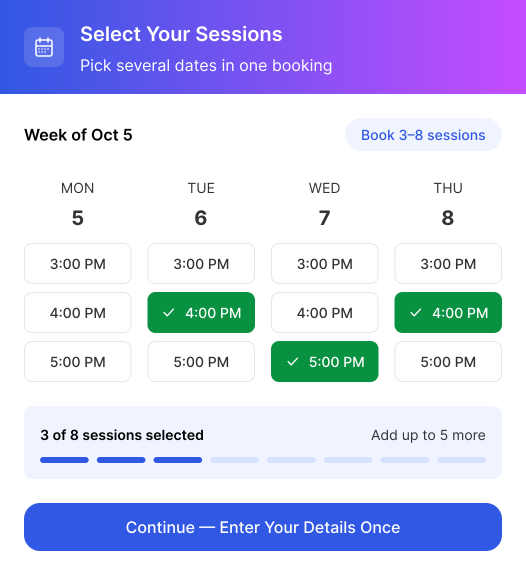
Check whether clients can select multiple available dates without restarting the booking process. Can they review their choices, remove a session, and enter their details just once?
On your side, check whether you can set session limits that match what you offer — from a flexible selection to a specific number of appointments.
CHECK 02
Can They Book a Repeating Schedule?
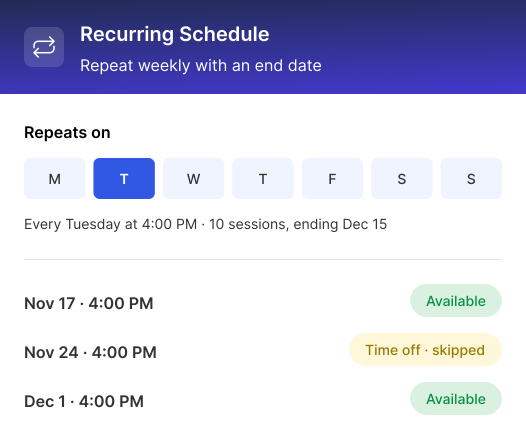
“Every Tuesday at 4 p.m.” is different from choosing five unrelated dates. Test how the scheduler handles a weekly pattern, an end date, and unavailable sessions.
Check what happens around holidays or time off. Your client should be able to see the actual dates before committing—not discover a scheduling problem afterward.
CHECK 03
Does Checkout Match How You Get Paid?
Check the supported payment processor, the payment methods available to clients, and which plan includes payment collection.
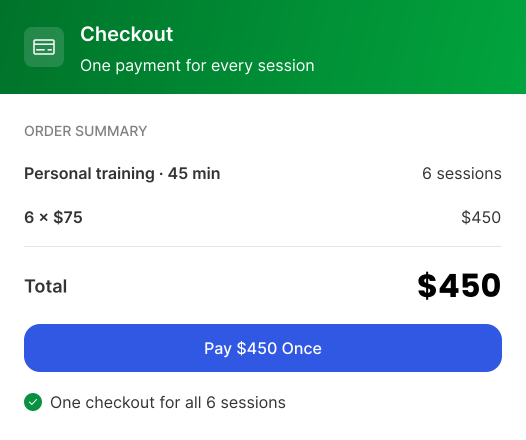
For multi-session bookings, follow the transaction through to the end. Can clients review the total and pay once, or do they need to complete a separate checkout for each appointment?
CHECK 04
What Happens After the Booking?
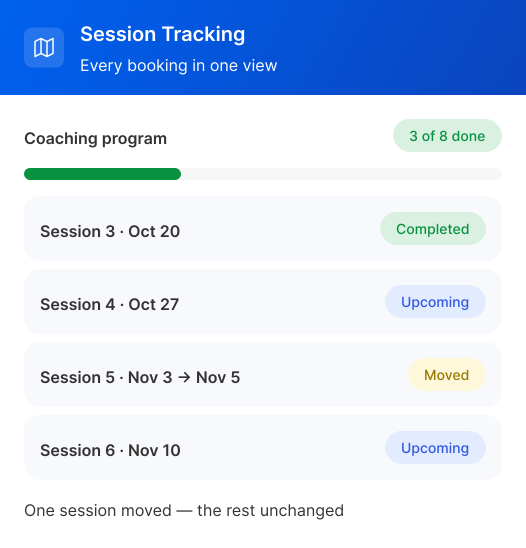
Look beyond the confirmation screen. Check how you and your clients find upcoming sessions, identify completed appointments, and manage changes.
Calfrenzy’s session tracking brings bookings into one view, with session details, statuses, and tools for managing appointments.
When evaluating any scheduler, test what happens when one session needs to move. Can it be changed without recreating the rest of the booking?
CHECK 05
Can Clients Complete Everything on Their Phones?
Test the entire journey on a phone — not just the first screen. Select several dates, review a recurring schedule, enter client details, and continue through checkout.
Look for readable session summaries, easy-to-tap controls, and a clear next step. Also try removing a date or correcting a mistake before confirming.

Need More Than One Appointment at a Time?
Let clients choose multiple dates or build a recurring schedule, review their sessions together, and check out once with Calfrenzy.


