


Sync Apple Calendar
with Calfrenzy
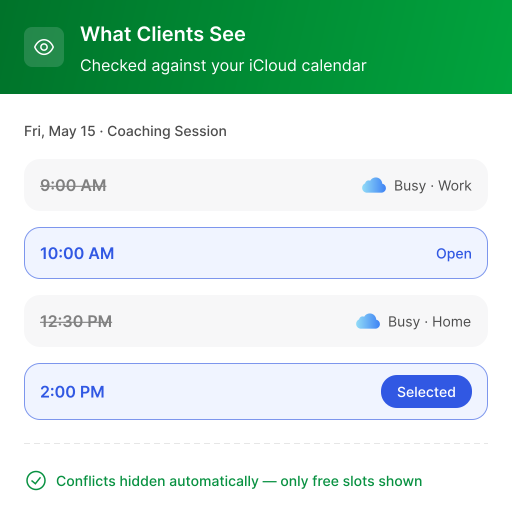
Keep your Apple Calendar availability and bookings in sync, so clients only see times you’re actually free.



Connect the iCloud Calendars You Use
Keep using Apple Calendar the way you already do. Calfrenzy checks your connected calendars for availability, adds new bookings, and keeps busy times from being offered to clients.
Keep Work and Personal Calendars in Sync
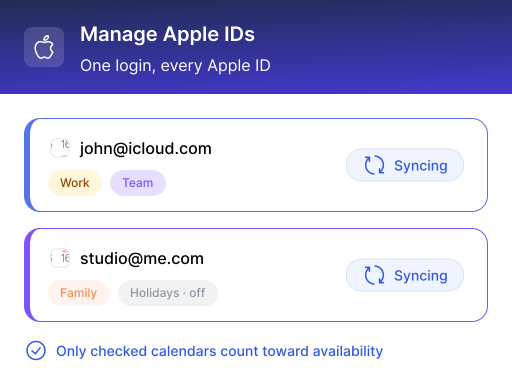
Point each organization at the right one, and pick exactly which calendars — or sub-calendars — count toward your availability.
How Calfrenzy Works with
Apple Calendar

Two-Way Calendar Sync
Keep bookings and availability up to date between Calfrenzy and Apple Calendar.

Connect Multiple iCloud Calendars
Connect your work, personal, and business calendars in one Calfrenzy account.

Multiple Apple IDs
Manage calendars from different Apple accounts in one Calfrenzy account.

Choose Where Bookings Go
Send bookings to the right calendar for each business or booking page.

Control Conflict Checking
Choose which calendars Calfrenzy checks before showing your availability.

Add Zoom to Online Bookings
Use Apple Calendar for scheduling and automatically add Zoom links to online bookings.
Learn How Apple Calendar
Works with Calfrenzy
More Calfrenzy Integrations


Browser & Workspace Integrations
Chrome extension, Gmail add-on, Google Workspace, LinkedIn.


