


Accept Payments in Calfrenzy with Stripe
Get paid when clients book — whether they’re booking a single session, package, or recurring appointment.



Get Paid When Clients Book
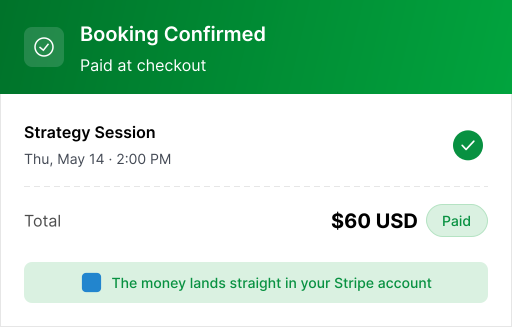
Connect Stripe and collect payment as part of the booking process. Clients choose their session, pay at checkout, and receive their booking confirmation—all in one flow.
Give Clients More Ways to Pay
Make checkout easier with familiar payment options through Stripe. Along with credit
and debit cards, eligible clients can pay using Apple Pay or Google Pay when available
on their device and browser.


One booking flow. More ways to pay.
One Payment for Multiple Sessions
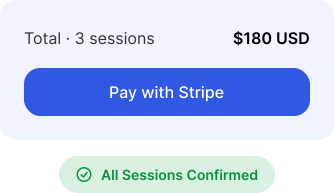
Clients booking several sessions don't have to pay one appointment at a time. With Calfrenzy, they can select multiple sessions, review their booking, and complete one checkout through Stripe.
Choose Multiple Sessions
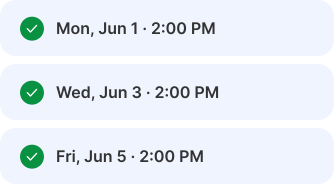

Review the Full Booking
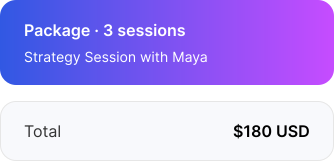
Pay Once
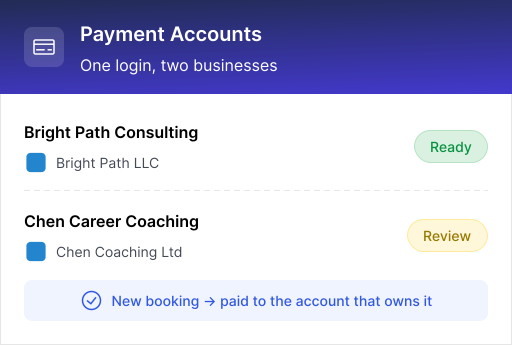
Multiple Businesses? Keep Payments Separate
Connect different Stripe accounts to different businesses, so each booking is paid to the right account.
How Calfrenzy Works with Stripe

Get Paid at Checkout
Clients pay when they book, and the payment goes directly to your connected Stripe account.

Connect Multiple Stripe Accounts
Manage payments for different businesses from one Calfrenzy account.

Keep Business Payments Separate
Choose which Stripe account receives payments for each business.

See Your Stripe Connection Status
Check whether each connected Stripe account is ready to accept payments.

Switch or Disconnect When Needed
Change the Stripe account connected to a business without contacting support.

Control Payment Access
Choose who can manage payment connections while others have view-only access.
How to Connect Stripe to Calfrenzy
More Calfrenzy Integrations


Browser & Workspace Integrations
Chrome extension, Gmail add-on, Google Workspace, LinkedIn.