
Calfrenzy Integrations
Connect your calendars, video tools, and payment processors in one place — so everything stays in sync and your bookings run smoothly from start to finish.


Calendar Integrations
Connect Google, Outlook, iCloud, and more in one place.
Your availability updates in real time across every calendar.


Video Conferencing
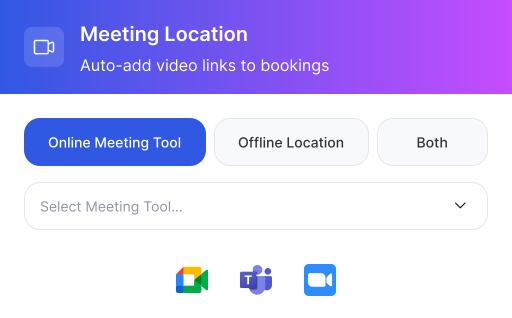
Connect Google Meet, Microsoft Teams, or Zoom and automatically add a unique meeting link to every online booking.

Google Meet Integration
Auto-generates a unique Google Meet link for each booked session.

Microsoft Teams Integration
Creates individual Teams meeting links per session in a package.

Zoom Integration
Adds a unique Zoom link to every session — no shared or recurring links.
Payment Integration
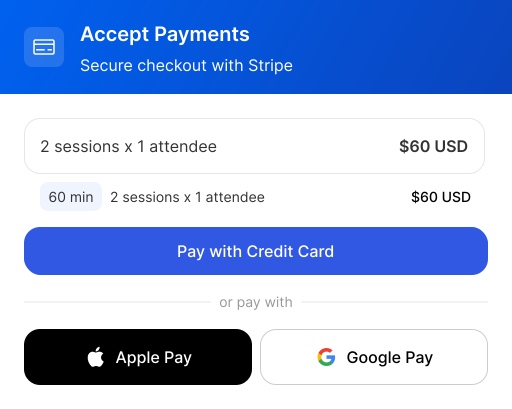
Take payments securely at the time of booking. Charge upfront or require a deposit to reduce no-shows and deliver a smoother experience.

Stripe Integration
Accept credit cards, Apple Pay, and Google Pay with secure checkout.

PayPal Integration
Let clients pay with their PayPal balance or linked accounts.

Square Integration
Process payments through your existing Square account.
Browser & Productivity Integrations
Integrate with the tools you use every day to streamline scheduling, communication, and
booking management in one seamless workflow.


Missing Something? Tell Us
We build what our users actually ask for. Vote for the integrations you need — the most-requested ones ship first.
Frequently Asked Questions
Everything you need to know about Calfrenzy integrations.
Calfrenzy syncs with Google, Outlook, and iCloud calendars on every plan, and cross-checks them so you're never double-booked. Microsoft Exchange calendar is available on paid plans. Your availability updates in real time across every connected calendar, so a booking on one shows as busy on all of them.
Yes. Every booking gets its own unique meeting link, added automatically to both the calendar invite and the confirmation email. Whether a client books one session or a ten-session package, each session gets its own dedicated link — no shared or reused links.
Calfrenzy processes payments through Stripe, with Apple Pay and Google Pay supported via Stripe. PayPal and Square integrations are coming soon. You can also display pricing only and collect payment offline. Payment collection is available on the Professional and Business tiers, and Calfrenzy takes no cut — funds go to your account.
Yes. With package booking, clients select several sessions and pay for them all in a single checkout, rather than paying appointment by appointment. A single package can even combine specific one-off dates with recurring ones.
How is Calfrenzy different from Calendly for integrations?
Calfrenzy checks your connected calendars in real time, so if a new event appears on any synced calendar, that time is automatically blocked on your booking page. Existing bookings stay in place, and your availability updates across every calendar at once, which helps prevent double-booking.
Yes. You can embed your booking page directly on your website, and you also get a shareable booking link you can send by text, email, or social media — no website required. On paid plans you can use a custom URL and remove Calfrenzy branding for a cleaner fit.
Most integrations connect in a few clicks — link your calendar, video tool, or payment processor from your settings and it's ready to use. There's no code required, and no credit card is needed to start. You can connect your tools during the 14-day free trial and use everything in full.
Ready to Streamline Your Workflow?
Connect all your favorite tools and start automating your scheduling today. Free to get started.


