
Recurring Sessions
Set It and Forget It
Clients set up weekly sessions in seconds — pick their days, choose how many, and pay once.



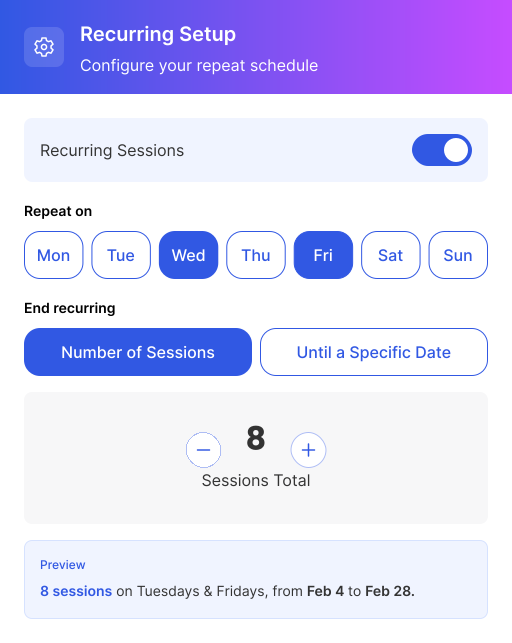
Clients Book Recurring Sessions in Seconds
Toggle recurring on, pick day(s) of the week, set session count or end date — all sessions added to cart instantly.
- One toggle turns on recurring mode
- Pick specific days of the week to repeat
- Set by number of sessions or until a date
- All sessions added to cart automatically
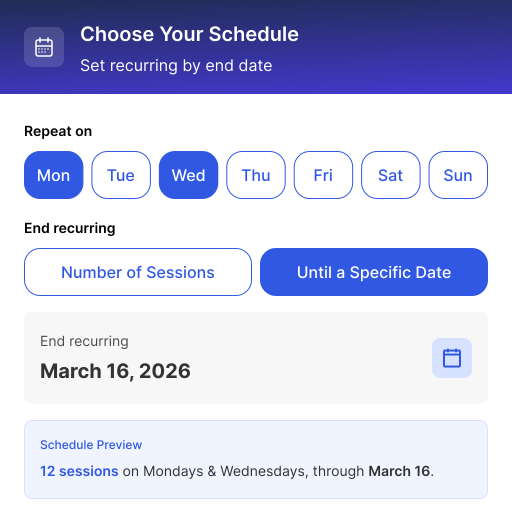
Choose Your Schedule
Pick specific days of the week. Repeat weekly. Set by number of sessions or until a specific date.
- Select one or multiple days per week
- "4 sessions" or "through March 16" — your choice
- Weekly recurrence, consistent schedule
- Clients see the full schedule before committing
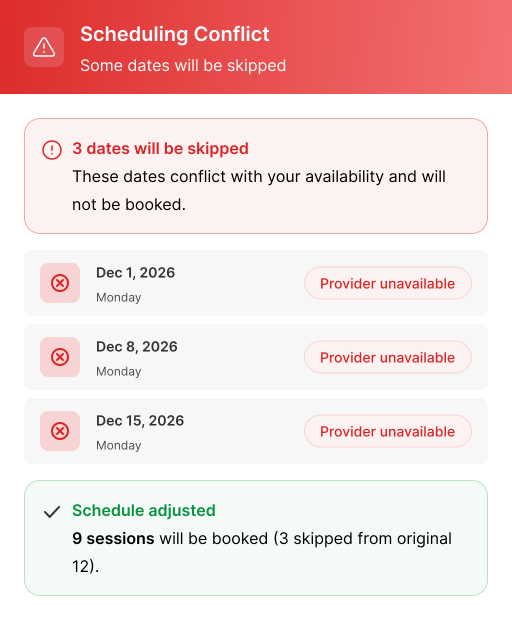
Unavailable Dates Are Automatically Skipped
No double-booking, no manual checking. Unavailable dates are flagged and excluded automatically. Bookers see which dates are skipped and why.
- Conflicts detected and excluded in real time
- Clear reason shown for each skipped date
- Session count adjusts automatically
- No surprises — full transparency before checkout
No credit card required


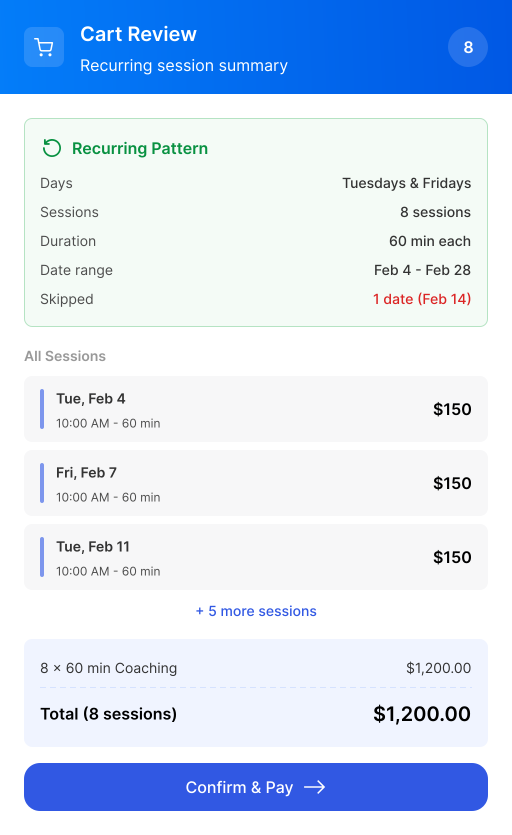
Review Everything Before You Pay
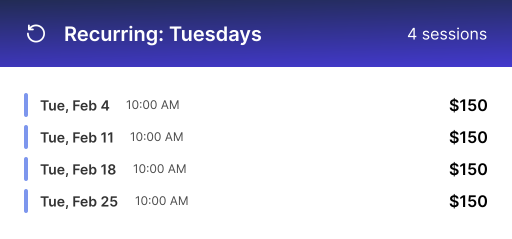
Full cart showing pattern summary, session count, per-session rice, date range, excluded dates, and subtotal.
- Recurring pattern summarized at the top
- Every session date and time listed
- Skipped dates clearly shown
- Edit or delete before checkout
Stack Multiple Recurring Patterns
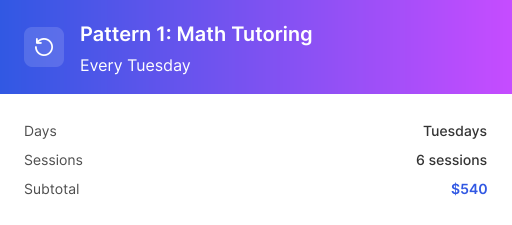
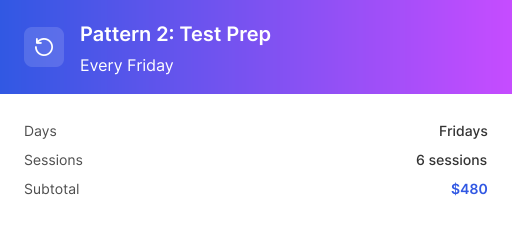
Need Tuesday math tutoring AND Friday test prep? Add multiple recurring schedules in one checkout.
- Add multiple recurring patterns in a single checkout
- Each pattern shows its own cart summary
- Different days, different session types
- One payment for everything

Mobile-First Recurring Booking
Mobile-first by design. 82% of bookings happen on phones — and recurring sessions run smoothly on any device.
- Built for effortless one-handed booking.
- Fewer steps. Less friction.
- Recurring sessions confirmed in a tap.

Get Paid Upfront for Every Session
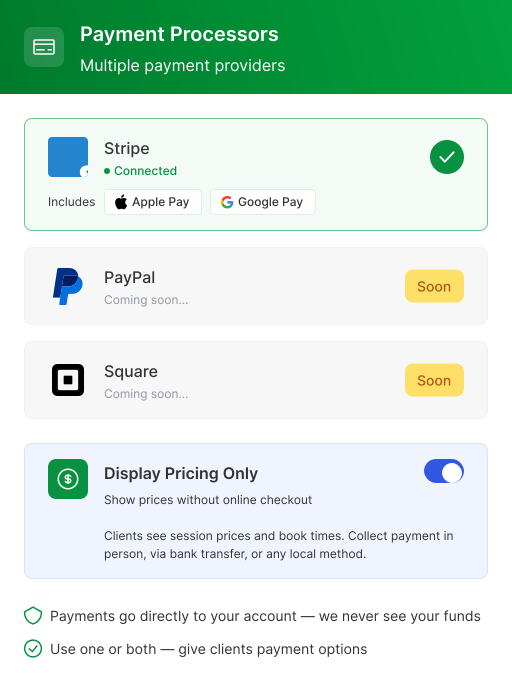
Collect payment online or in person — your choice. Process cards at checkout, or just display pricing and handle payment your way.
- Accept online payments via Stripe, Apple Pay, or Google Pay
- Or display prices only and collect payment offline
- Clients see exactly what they owe before booking
- Works with local payment methods in any country
Ready to Try Recurring Session Booking?
Set up in under 2 minutes. Free forever.
No credit card
Works With Multi-Session Booking
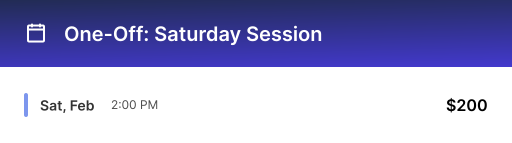
Recurring and individual session picks work together. Mix a recurring Tuesday pattern with a one-off Saturday session — all in one cart, one checkout.
- Combine recurring and individual session picks
- Everything goes into one cart
- Single checkout for the full schedule
- Clients get clarity, you get commitment



Built for Professionals
Who Book Recurring Clients
Whether you teach, train, or consult — recurring booking fits your workflow.





Frequently Asked Questions
Everything you need to know about recurring session booking.
Recurring booking sets up a repeating appointment on a fixed schedule — like every Tuesday at 2:00 PM for six weeks. You pick the days of the week, the session count or an end date, and Calfrenzy books all the sessions automatically in one checkout.
Yes. Toggle on the days of the week you want — for example, Monday, Wednesday, and Friday — and the recurring pattern will book every session on those days automatically. You control whether clients book by a number of sessions or up to a specific end date.
Dates that conflict with your existing calendar are detected and skipped automatically at checkout — no double-booking, and the client sees exactly which dates were dropped before they pay. The reason for the skip is shown, and their session count adjusts so they only pay for what actually got booked.
Yes. You can offer either "book by number of sessions" (for example, 8 sessions) or "book until a specific date" (for example, through March 16). Both options are available in the recurring setup, so clients pick the format that fits their program.
Yes. A single checkout can combine specific one-off dates with recurring dates — for example, a weekly Tuesday session plus a one-off Saturday makeup class. Both feed into the same cart and get paid for in one transaction. Package booking and recurring booking are both available on the Professional and Business tiers.
Yes. Clients pay upfront for the entire recurring series in a single checkout — not session by session — through Stripe, with Apple Pay and Google Pay supported. PayPal and Square are coming soon. Calfrenzy takes no cut; funds go straight to your account.
Yes. Recurring booking is built mobile-first, so clients can select their days, pick a recurring pattern, and pay for the whole series from their phone in a few taps. You can manage recurring bookings from the mobile dashboard too, including session tracking across the series.
Recurring booking is available on the Professional and Business tiers, not the permanent Free plan. You can try it free for 14 days on the trial, which unlocks all features with no credit card required. After the trial, recurring bookings and payment collection require a paid plan.
Ready to Try Recurring Session Booking?
Join thousands of professionals who use Calfrenzy to fill their schedule with recurring clients and get paid upfront.